Product Description
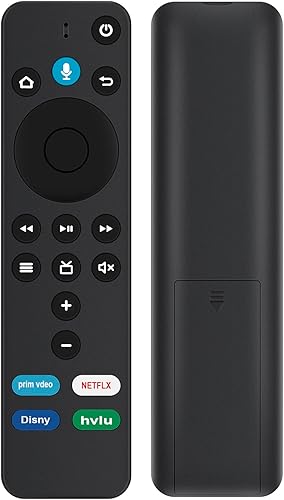
Beyution L5B83G Relacement Voice Remote Control fit for Amazon TV Box/Stick/Cube device with 4 Shortcut APP Keys.
Compatible with: Amazon TV (3rd Gen - LDC9WZ), Amazon TV Stick (2nd Gen - LY73PR), Amazon TV Stick (3rd Gen - S3L46N), Amazon TV Stick 4K (E9L29Y), Amazon TV Stick Lite, Amazon TV Stick 4K Max (K2R2TE), Amazon TV Cube (1st Gen - EX69VW), Amazon TV Cube (2nd Gen - A78V3N), Amazon TV Cube (3rd Gen); Amazon EchoShow 15.
Not compatible with: Amazon TV (1st Gen - CL1130), Amazon TV (2nd Gen - DV83YW), Amazon TV Stick (1st Gen - W87CUN), or Any Brand Amazon TV Edition smart TVs.
Paring Remote: Press the Home button about 8-30 seconds until the LED starts to rapidly flash amber, then the remote should automatically pair with your device.
Reset Your Remote:
Having trouble with your remote, first remove and reinsert the new alkaline batteries in your remote. then Reset your remote as below:
Place your remote within 10 feet of your TV device.
1. Press the Left, Menu, and Back buttons simultaneously, and hold for 10 seconds.
2. Wait for 60 seconds.
3. Remove the batteries from your remote, unplug your TV device, and wait 60 seconds.
4. Plug your TV device back in, and wait for the Home Screen to display.
5. Hold the Home button on your remote for 40 seconds, then wait 60 seconds for setup to complete.
Note:
Any doubt or troubles if you have about the product, please feel free to contact us timely, we will provide you professional suggestion and help.